
A few weeks ago, a startup founder from Berlin hopped on a call with me. He had $8,000, a Figma prototype, and a deadline: launch in 6 weeks. His first question? “Akbar, should I use FlutterFlow or just code it in Flutter?”
I paused. Because the honest answer isn’t “use this one.” It’s “it depends on about five things you probably haven’t thought about yet.”
I’ve shipped over 100 apps using both FlutterFlow and Flutter — for clients from San Francisco to Dubai, for solopreneurs bootstrapping their first product and for funded startups burning through their seed round. And after years of going back and forth between these two tools, I have a pretty clear mental framework for when each one wins.
So let me break it down for you. No fluff. No “it depends” without explaining what it depends on. Just the real talk from someone who uses both of these tools every single week.
Quick Answer: FlutterFlow vs Flutter Decision Matrix
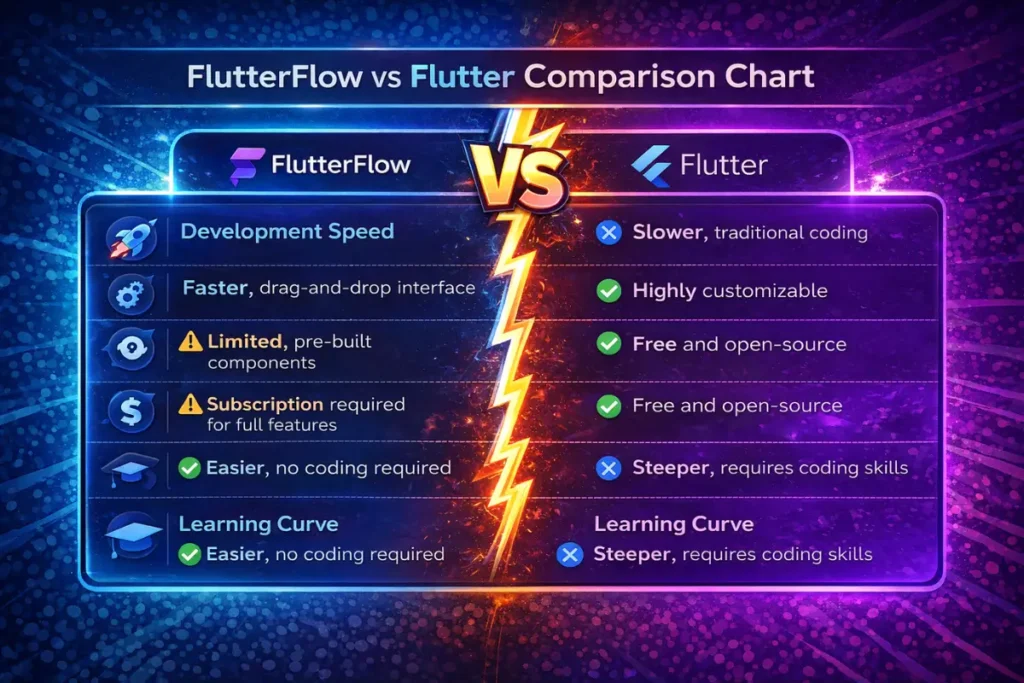
Before we dive deep, here’s the cheat sheet. If you’re in a rush, this table will save you 10 minutes:
| Factor | FlutterFlow | Flutter |
|---|---|---|
| Best for | MVPs, prototypes, simple apps | Complex, scalable production apps |
| Development speed | 2-4 weeks for MVP | 6-12 weeks for MVP |
| Learning curve | Days to weeks | Weeks to months |
| Customization | Limited to moderate | Unlimited |
| Cost (solo) | $30-$80/month + backend | $0 (framework is free) + dev time |
| Performance | Good for most apps | Native-level performance |
| Code ownership | Exportable Flutter code | 100% yours from day one |
| Scalability | Moderate | High |
| Best audience | Non-technical founders, solopreneurs | Developers, dev teams, agencies |
Still here? Good. Let’s get into the details that actually matter.
What Is Flutter? (No Wikipedia Definition, I Promise)
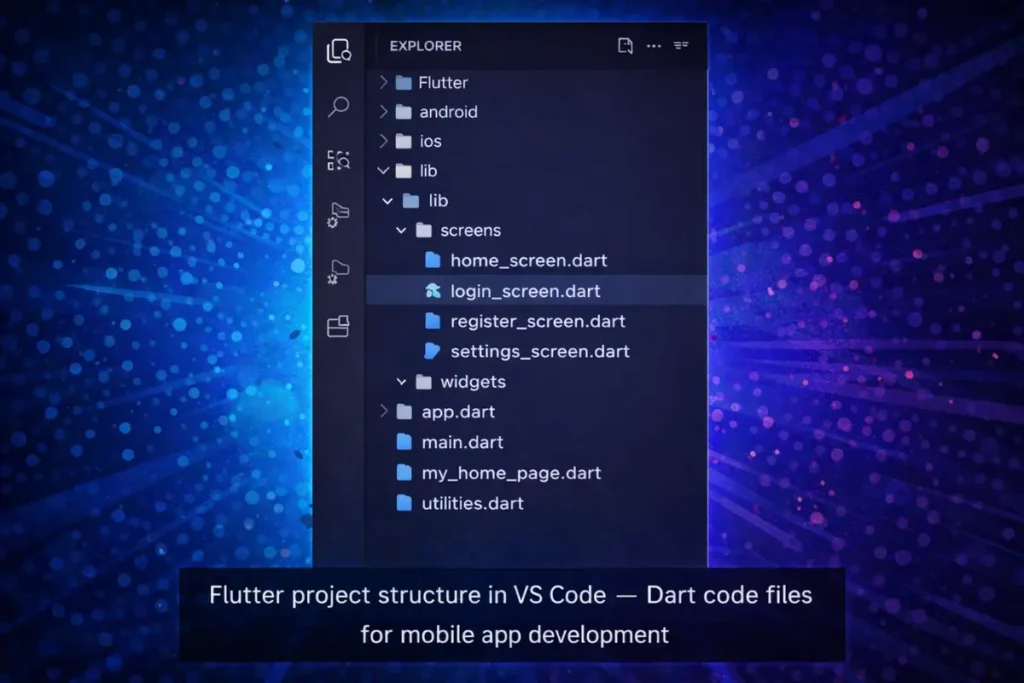
Here’s how I explain Flutter to my clients: it’s Google’s toolkit that lets you write one codebase and ship apps to iOS, Android, web, and desktop. You write in Dart (a language that’s basically JavaScript and Java had a baby), and Flutter compiles it down to native code.
That means your app feels native. Because it basically is.
The numbers speak for themselves. Flutter now has roughly 2.8 million monthly active developers worldwide, and it’s sitting at over 114,000 stars on GitHub. According to Stack Overflow surveys, nearly 46% of developers working on cross-platform projects pick Flutter as their go-to framework.
Why do I love it? Control. When I’m building a fintech app with complex animations, custom payment flows, and real-time data streaming, Flutter gives me the freedom to do literally anything I can think of. No walls. No limitations.
But — and this is important — that freedom comes at a cost. Time. Learning curve. Complexity. Not every project needs that level of power.
What Is FlutterFlow? (And What Changed in 2026)
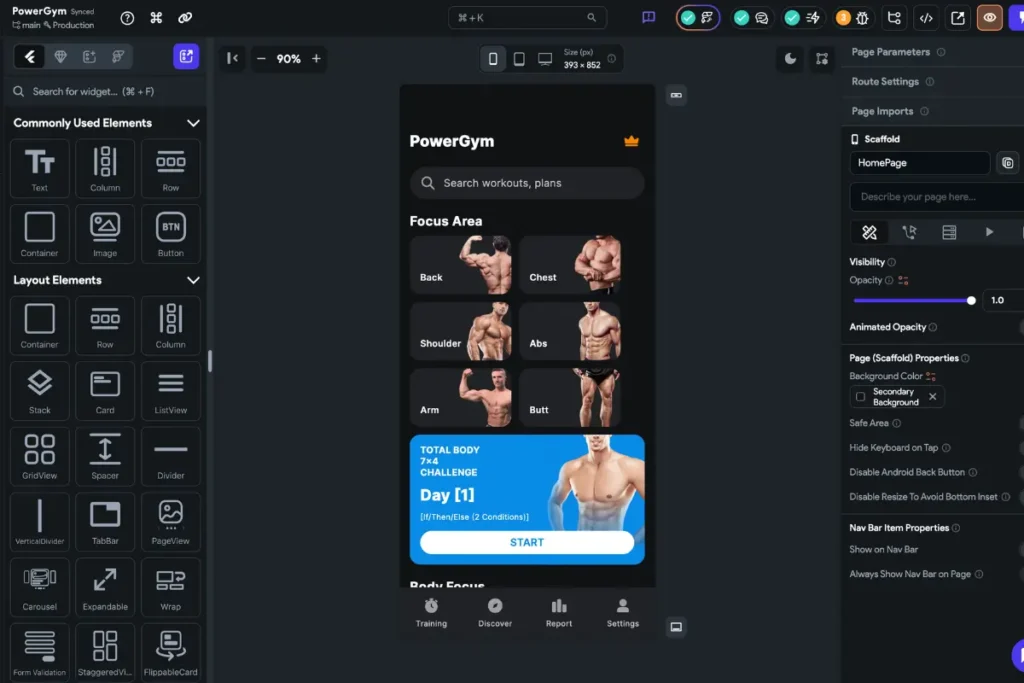
FlutterFlow is a visual, low-code app builder that sits on top of Flutter. Think of it like Figma meets an IDE. You drag and drop UI components, wire up logic visually, connect your backend (Firebase or Supabase), and hit deploy.
Under the hood, FlutterFlow generates real Flutter/Dart code. That’s the key differentiator from tools like Bubble or Adalo — you’re not locked into a proprietary runtime. You can export the code and keep building in a traditional IDE if you outgrow the platform.
Now, here’s what makes the FlutterFlow vs Flutter conversation way more interesting in 2026: DreamFlow.
FlutterFlow’s team launched DreamFlow in mid-2025 — an AI-first development environment that lets you build apps across three “surfaces”:
- AI prompts — describe what you want in plain English and the AI generates screens, components, and logic
- Visual editor — the classic drag-and-drop FlutterFlow experience
- Full code — drop into actual Dart/Flutter code whenever you need to
They call it “tri-surface development.” Sounds like a marketing buzzword, but I’ve used it, and honestly? It’s impressive. You can start with a prompt like “build me a meditation app with a timer and progress tracker,” get a working prototype in minutes, then refine it visually or in code.
FlutterFlow Pricing in 2026
Let’s talk money, because this matters:
| Plan | Monthly Cost | Key Features |
|---|---|---|
| Free | $0 | 2 projects, full visual builder, no code export |
| Basic | $30/month | Unlimited projects, code download, APK export |
| Growth | $80/month | GitHub integration, branching, automated tests |
| Business | $150/month | 5 collaborators, priority support, advanced deploy |
| Enterprise | Custom | For companies with $10M+ revenue |
Pro tip: the Free plan is genuinely useful for learning and prototyping. But the moment you want to actually ship something to the App Store, you need at least the Basic plan at $30/month.
FlutterFlow vs Flutter — The Real Comparison
Alright, let’s get into the side-by-side comparison that you actually came here for. I’m going to be brutally honest about both tools because I use them both daily and neither is perfect.
Development Speed
FlutterFlow wins. Decisively.
I can build an MVP with 8-10 screens, authentication, database CRUD operations, and push notifications in FlutterFlow in about 2 weeks. The same app in Flutter? That’s 6-8 weeks minimum — and that’s with an experienced developer (me) working focused.
The visual builder eliminates so much boilerplate. Navigation? Click. Form validation? Click. Firebase auth? Three clicks. In Flutter, each of these involves writing, testing, and debugging code.
However — and this is a big “however” — that speed advantage starts to shrink as complexity increases. Once you’re building custom animations, complex state management, or integrating niche APIs, FlutterFlow’s visual approach can actually slow you down compared to writing clean Dart code.
Customization and Flexibility
Flutter wins. No contest.
In Flutter, if you can imagine it, you can build it. Custom paint widgets, complex gesture handlers, platform-specific channels, shader effects — the sky is the limit.
FlutterFlow gives you a solid set of pre-built components and allows custom code injection. But you’re still working within guardrails. I’ve hit walls on FlutterFlow projects where I needed a specific list view behavior (like ListView.animateTo) that simply wasn’t exposed in the visual builder.
If your app has anything beyond standard CRUD operations and basic UI, you’ll feel those walls eventually.
Learning Curve
FlutterFlow wins for non-developers. If you’ve never written a line of code, FlutterFlow is approachable within days. You’ll be dragging screens together and connecting them to Firebase before the weekend is over.
Flutter requires real investment. You need to learn Dart, understand widget trees, grasp state management concepts (Provider, Riverpod, BLoC — pick your poison), and get comfortable with the build-debug-test cycle. Realistically, it takes 2-3 months of focused learning before you’re productive.
That said, if you’re already a developer — especially if you know JavaScript, Java, or Swift — picking up Dart and Flutter is not that hard. The official Flutter docs and codelabs are genuinely excellent.
Performance
Flutter wins, but FlutterFlow is “good enough” for most apps.
Since FlutterFlow generates Flutter code, the runtime performance is theoretically the same. But in practice, the generated code can be more verbose and less optimized than hand-written Dart. For a simple business app or MVP, you’ll never notice the difference. For a real-time gaming app or a media-heavy social platform? You might.
By my experience, about 80% of apps don’t need performance tuning beyond what FlutterFlow provides out of the box.
Code Ownership
Both give you full code ownership in 2026. This is a big deal. FlutterFlow lets you export your entire project as clean Flutter/Dart code. You can take it to any IDE, any developer, any hosting provider. No vendor lock-in.
Flutter? Obviously, your code is yours from the first flutter create command.
The practical difference is that FlutterFlow’s generated code, while functional, isn’t always how an experienced developer would structure things. If you export and want to maintain it in pure Flutter later, expect some refactoring.
When FlutterFlow Is the Right Call
Okay, let me give you the real scenarios where I recommend FlutterFlow without hesitation:
1. You’re validating an idea and need an MVP fast. Last year, a client from Austin wanted to test a niche social app for pet owners. We built the MVP in FlutterFlow in 12 days. She launched it, got 200 users in the first month, validated the core concept, and then we rebuilt the critical parts in Flutter. That’s the smart way to do it.
2. You’re a non-technical founder. If you don’t code and you’re not ready to hire a full-time developer, FlutterFlow lets you build something real. Not a mockup. Not a slide deck. An actual working app you can put in people’s hands.
3. Your app is straightforward. Marketplace apps, directory apps, booking apps, internal business tools, simple e-commerce — these fit FlutterFlow’s sweet spot perfectly. Standard screens, standard flows, standard integrations.
4. Budget is tight. At $30-$80/month for the platform plus maybe $25/month for Firebase, you’re looking at launching a functional app for under $150/month total. Compare that to hiring a Flutter developer at $50-$100+/hour. The math is obvious for bootstrapped founders.
Pro Tip: If you’re going the FlutterFlow route, pair it with Supabase instead of Firebase for your backend. The one-click setup in DreamFlow makes it almost instant, and Supabase’s PostgreSQL database gives you way more flexibility for complex queries than Firestore.
When You Should Go Full Flutter
Here’s when I tell clients to skip FlutterFlow and go straight to Flutter:
1. Your app has complex custom UI. If the design calls for custom animations, gesture-driven interactions, or a truly unique visual experience — Flutter is the only option. FlutterFlow’s animation capabilities have improved, but they’re still basic compared to what you can do with Flutter’s AnimationController and custom painters.
2. You need advanced state management. Apps with complex data flows — think real-time chat with typing indicators, multi-step checkout with inventory checks, or collaborative editing — need proper state management architecture. Riverpod, BLoC, or even just well-structured Provider patterns. FlutterFlow handles basic state, but it gets messy fast with complex scenarios.
3. You’re building for scale from day one. If you’ve got funding and know you’ll have 100,000+ users within 6 months, start with Flutter. The performance overhead of FlutterFlow-generated code, the potential refactoring debt, and the limitations on optimization aren’t worth the short-term speed gain.
4. Your team has Flutter developers. If you already have devs who know Dart and Flutter, FlutterFlow adds a layer of abstraction they don’t need. It might actually slow them down compared to writing code directly.
5. You need deep third-party integrations. Payment processors beyond Stripe, custom analytics SDKs, IoT device communication, Bluetooth protocols — these typically require writing native platform channels or complex Dart packages. FlutterFlow supports custom code, but it’s not where these integrations feel natural.
The Hybrid Approach — Why I Use Both
Here’s what most “FlutterFlow vs Flutter” articles won’t tell you: you don’t have to choose just one.
At WEBNUM, our workflow for startup clients often looks like this:
Week 1: FlutterFlow for rapid prototyping. We design the core screens, wire up authentication, connect the database, and get a working prototype in the client’s hands. This is where FlutterFlow’s speed is unbeatable. We can iterate on feedback in hours, not days.
Week 2: Export and extend in Flutter. Once the client validates the core flows, we export the code to a proper Flutter project. Now we add the custom features, optimize performance, set up proper state management, and write tests.
Ongoing: Maintain in Flutter. For long-term maintenance and feature additions, we work in pure Flutter. It gives us full control, proper CI/CD pipelines, and the ability to onboard any Flutter developer to the project.
This hybrid approach gives our clients the best of both worlds: speed at the start, flexibility for the long haul.
By the way, if you’re a solopreneur trying to ship your first app and this hybrid workflow sounds appealing but overwhelming — our team at WEBNUM does exactly this. We’ve helped dozens of founders go from idea to App Store using this approach. Just saying.
[IMAGE: Workflow diagram showing FlutterFlow for prototyping flowing into Flutter for production development. Alt text: “Hybrid FlutterFlow to Flutter development workflow for startup MVP apps”]
FlutterFlow vs Flutter — Realistic Cost Breakdown
Let’s talk actual money. I see so many articles throw around vague numbers, so here’s what it really costs based on projects I’ve managed:
Scenario 1: Solo Founder Building an MVP
| Cost Item | FlutterFlow Route | Flutter Route |
|---|---|---|
| Platform/tools | $80/month (Growth plan) | $0 (Flutter is free) |
| Backend (Supabase/Firebase) | $25/month | $25/month |
| Developer cost | $0 (you build it yourself) | $5,000-$15,000 (freelancer) |
| Design (Figma) | $0-$15/month | $0-$15/month |
| App Store fees | $124/year (Apple + Google) | $124/year |
| Total to launch | ~$350-$500 | ~$5,500-$15,500 |
Scenario 2: Startup with $20K Budget
| Cost Item | FlutterFlow Route | Flutter Route |
|---|---|---|
| Platform/tools | $80-$150/month | $0 |
| Developer/agency | $3,000-$8,000 | $10,000-$20,000 |
| Backend setup | $50-$200/month | $50-$200/month |
| Timeline | 3-6 weeks | 8-16 weeks |
| Total to launch | ~$4,000-$10,000 | ~$12,000-$22,000 |
The cost gap is real. But here’s the thing nobody talks about: the cost of rebuilding. If you launch with FlutterFlow and your app takes off, you’ll likely need to rebuild significant portions in Flutter within 6-12 months. Factor that into your planning.
In my experience, the sweet spot for most startups is spending $5,000-$10,000 on a FlutterFlow MVP, validating the concept, then investing $15,000-$30,000 in a proper Flutter rebuild once you have traction and possibly funding.
Quick Win: Want to cut your FlutterFlow development time in half? Start with one of the hundreds of templates available in the FlutterFlow marketplace. We also offer ready-made app templates at WEBNUM that are pre-wired with Supabase and common features like auth, onboarding flows, and payment integration. Can save you weeks.
What About DreamFlow? The New Wild Card
I’d be doing you a disservice if I didn’t talk about DreamFlow, because it’s genuinely changing the FlutterFlow vs Flutter conversation.
DreamFlow is FlutterFlow’s AI-first development environment, announced in July 2025 and rapidly evolving since. Here’s the pitch: you describe your app in plain English, and DreamFlow generates a complete Flutter project — screens, navigation, logic, backend connections — in minutes.
I’ve been experimenting with it for the past few months, and here’s my honest take:
What’s actually good:
- Going from zero to a working prototype is absurdly fast. I described a habit tracker app and had something functional in under 10 minutes
- The tri-surface model (prompt → visual → code) genuinely works. You can switch between modes without losing context
- One-click Supabase and Firebase integration since May 2026 makes backend setup trivial
- You own the generated code. No lock-in
What still needs work:
- Complex business logic from prompts is hit-or-miss. The AI nails simple CRUD but struggles with multi-step workflows
- Generated code quality varies. Sometimes it’s clean, sometimes it needs significant cleanup
- Performance profiling is basically non-existent right now
My verdict: DreamFlow is amazing for the first 60% of an app. The last 40% — the part that makes your app special — still needs human expertise. Use it as a starting point, not a finish line.
My Honest Take After 100+ Apps
Here’s the boring truth about the FlutterFlow vs Flutter debate: the tool matters less than you think.
I’ve seen beautiful, successful apps built entirely in FlutterFlow. I’ve also seen Flutter projects with 50,000 lines of perfectly written Dart code that never found a single user because the founders spent 8 months building instead of 2 months launching and learning.
The tool is not the bottleneck. Your understanding of your users is.
That said, if you’re forcing me to give you a simple rule:
Start with the fastest path to real users. If that’s FlutterFlow, great. If you’re a developer who can ship Flutter code quickly, do that instead. The point is to get something real in front of real people as fast as possible.
Then — and only then — worry about architecture, scalability, and choosing the “right” long-term stack.
If you want a framework for deciding, here it is:
- Idea stage, no technical co-founder → DreamFlow or FlutterFlow
- Validated idea, small budget → FlutterFlow with Supabase
- Validated idea, real budget → Flutter (or hybrid approach)
- Funded startup, scaling → Flutter, 100%
- Enterprise product → Flutter with a dedicated team
Ready to build your app but not sure which path to take? Drop us a line at WEBNUM — we’ll give you an honest recommendation based on your specific situation. No sales pitch. Just straight advice from people who actually build apps for a living.
Frequently Asked Questions
Is FlutterFlow good for production apps?
Yes, but with caveats. FlutterFlow is solid for simple-to-medium complexity production apps — things like directory apps, booking platforms, or internal business tools. For complex consumer apps with heavy custom features, you'll likely hit limitations within 6-12 months. The good news is you can always export your code and transition to pure Flutter when that happens.
Can I switch from FlutterFlow to Flutter later?
es, but with caveats. FlutterFlow is solid for simple-to-medium complexity production apps — things like directory apps, booking platforms, or internal business tools. For complex consumer apps with heavy custom features, you'll likely hit limitations within 6-12 months. The good news is you can always export your code and transition to pure Flutter when that happens.
Is Flutter harder to learn than FlutterFlow?
Significantly harder, yes. FlutterFlow is approachable for non-developers within days. Flutter requires learning the Dart programming language, understanding widget composition, state management patterns, and the overall build system. For someone starting from scratch, expect 2-3 months before you're truly productive. That said, the Flutter documentation and community resources make the learning path much smoother than it was even two years ago.
Which is cheaper — FlutterFlow or Flutter?
For solo founders and bootstrapped startups, FlutterFlow is dramatically cheaper upfront. You can launch an MVP for under $500 using FlutterFlow plus a free-tier backend. Flutter itself is free, but you'll need to either invest your own development time (months of learning) or hire a developer ($5,000-$20,000+ for an MVP). Long-term, though, Flutter is cheaper because there are no ongoing platform subscription fees.
Can FlutterFlow handle complex apps?
It depends on your definition of "complex." FlutterFlow handles multi-screen apps with authentication, database operations, API integrations, and basic animations very well. Where it struggles is advanced custom UI, complex real-time features, sophisticated state management, and deep third-party SDK integrations. If your app's core value proposition requires any of these, start with Flutter or plan for a hybrid approach.