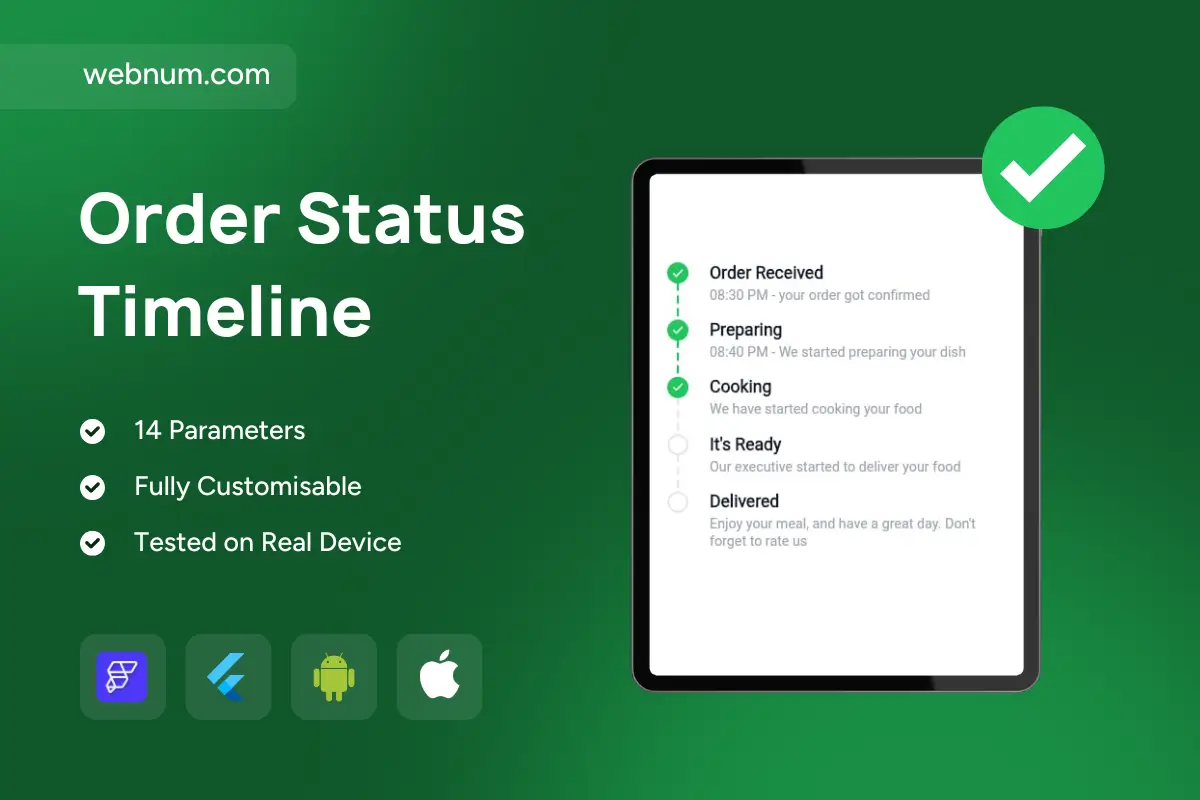
Order Status Timeline is a premium step-by-step timeline widget for FlutterFlow/Flutter that visualizes progress in a clean, modern “order tracking” style ✅🕒. It’s perfect for delivery apps, e-commerce, booking platforms, and any workflow where users need clear status updates (Received → Preparing → Cooking → Ready → Delivered). With full styling control and a simple currentStep input, you can match any brand and update the UI instantly from your backend.
Functionality
🧩 Render a vertical status timeline using stepTitles and stepSubtitles
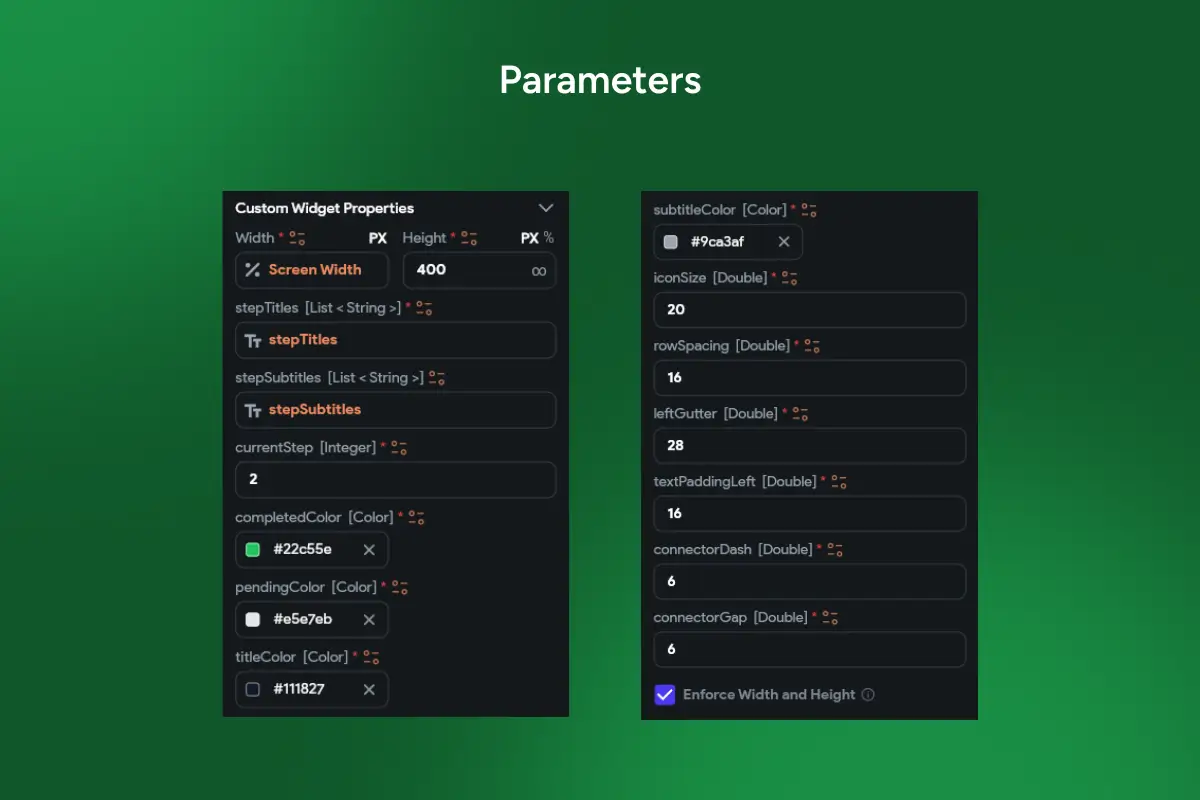
🎯 Control progress with currentStep (Integer) — instantly updates completed vs pending steps
✅ Custom colors for completed/pending states (completedColor, pendingColor)
🔤 Separate typography styling for title and subtitle (titleColor, subtitleColor)
🧷 Customizable layout: iconSize, rowSpacing, leftGutter, textPaddingLeft
➖ Dotted/segmented connectors with connectorDash and connectorGap for a premium timeline look
📱 Tested on real devices and optimized for smooth performance
🎨 Fully customizable to fit food delivery, logistics, booking, support tickets, onboarding flows, and more
Perfect for
🍔 Food delivery: order received → preparing → out for delivery → delivered
🛒 E-commerce: payment confirmed → packed → shipped → delivered
🏨 Bookings: requested → confirmed → checked in → completed
🚚 Logistics: picked up → in transit → arrived → delivered
🧾 Service workflows: ticket opened → in progress → resolved
Why it improves UX
A timeline reduces support requests and increases trust. Users instantly understand what’s happening, what’s completed, and what’s next — without confusion.
🔎 SEO Keywords: order status timeline flutterflow, order tracking widget flutter, delivery status timeline UI, progress timeline widget flutterflow, stepper timeline component, shipping status tracker flutter, e-commerce order tracking UI, booking status timeline, vertical timeline widget flutter, currentStep timeline widget