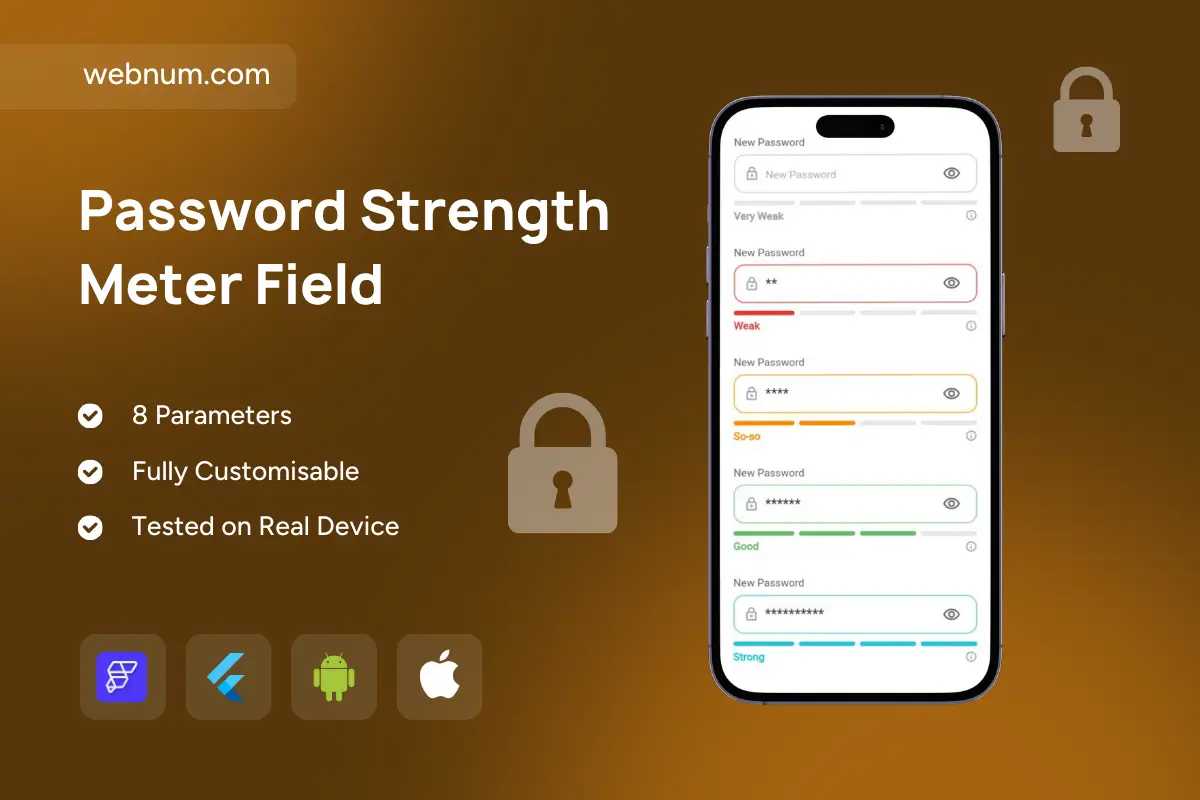
Password Strength Meter Field is an advanced, premium password input widget for FlutterFlow/Flutter that provides a clear multi-level strength meter in real time — helping users create stronger passwords while making your signup flow feel modern, secure, and trustworthy 🔐📊. Unlike a basic “weak/strong” bar, this field uses segmented meter levels (from Very Weak to Strong) for more precise feedback and better UX.
Functionality
🔒 Real-time strength analysis as users type
📈 Segmented strength meter (custom segmentCount) with clear levels (Very Weak → Weak → So-so → Good → Strong)
👁️ Built-in show/hide password toggle for usability
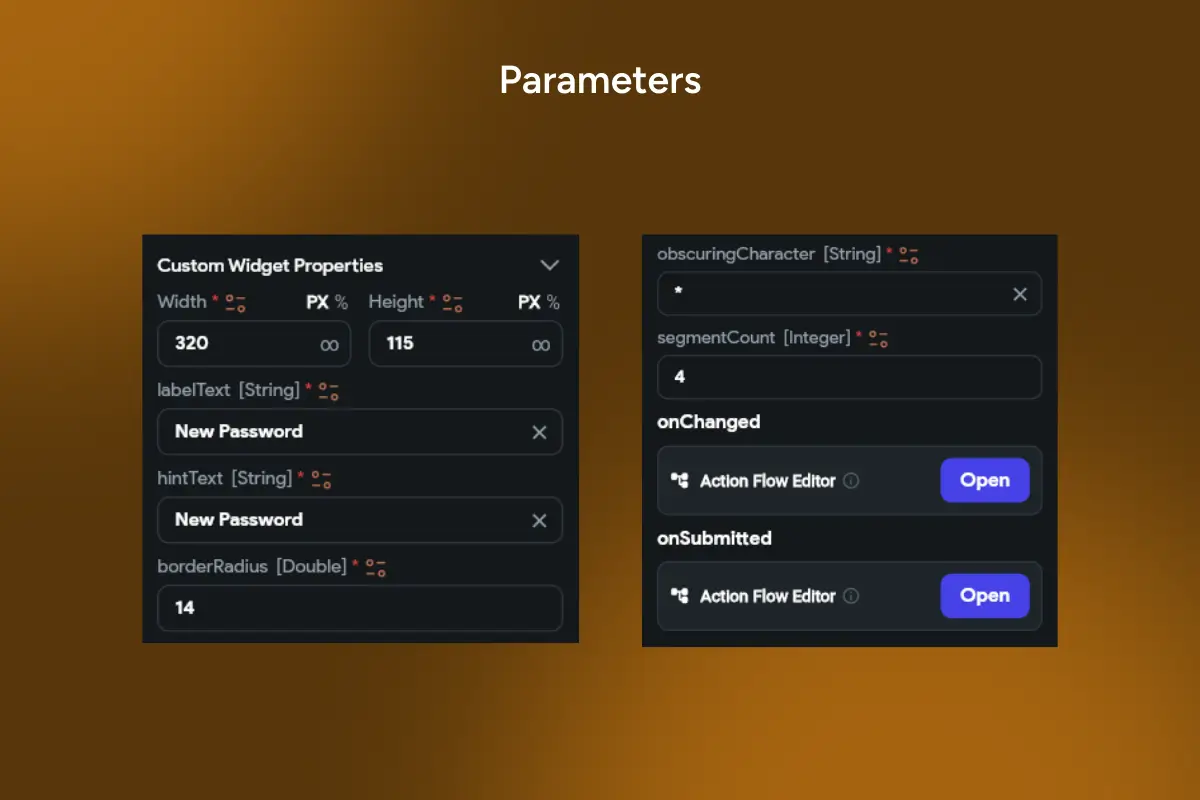
🧩 Easy FlutterFlow setup with 8 parameters
🏷️ Custom label & hint text (perfect for “New Password”, “Create Password”, etc.)
🔤 Custom obscuringCharacter support (e.g., • or *)
🎨 Full styling controls: border radius, spacing, typography, colors, and meter style
🔁 Action events:
-
onChanged for validation, enabling buttons, syncing state
-
onSubmitted for submit/next-step flows and form automation
📱 Tested on real devices, optimized for smooth performance
Perfect for
🧾 Sign-up & password reset screens
🏦 Fintech, banking, and secure apps
🛒 E-commerce accounts and checkout profiles
🏢 SaaS apps with authentication and role-based access
📲 Any app where password quality and trust matter
Why it improves results
Clear, step-by-step strength feedback reduces user errors, increases completion rates, and prevents weak-password registrations — improving both security and conversion.
🔎 SEO Keywords: password strength meter field flutterflow, segmented password strength meter, password input widget flutter, secure password field flutterflow, real-time password strength checker, very weak to strong meter, show hide password flutter, password reset field widget, signup security widget, custom segmentCount meter flutter